Choosing fire inspection software is really a decision about how your shop will run for the next few years — how technicians work in the field, how you prove compliance, and how your clients see what you do for them. The market runs from simple checklist apps to enterprise contractor platforms, so the goal isn’t the “most powerful” tool — it’s the one that fits how your business actually works. Here’s what to evaluate.
1. Equipment tracking: is the record per-unit?
Fire codes schedule inspections per piece of equipment, not per building. The software should track each extinguisher, hose or system as its own record, with its full history and next due date. QR or barcode tags make this practical in the field — one scan pulls up the right unit instead of hunting through a list. See how QR tracking works.
2. Field inspections: can technicians work from a phone?
If your technicians still carry paper and re-key it at the office, you’re paying for the same inspection twice. Look for mobile inspections that record the result, photos and notes against the equipment on the spot.
3. Scheduling and reminders: will anything slip?
Monthly, annual, 6-year and 12-year intervals are easy to lose track of across hundreds of units. The software should know what’s due and remind you — ideally by email and SMS — before a service lapses. A missed due date is a missed inspection, and a compliance gap.
4. Records and reports: will they satisfy an inspector?
Work you can’t document is, to an authority having jurisdiction, work that didn’t happen. Check that the tool keeps a time-stamped, photographed record per unit and can produce completion and compliance reports (PDF) on demand. If you work across provinces or states, confirm it fits the codes you answer to — see our requirements guide for Canada and NFPA 10 for the US.
5. Client visibility: can your customers see their own equipment?
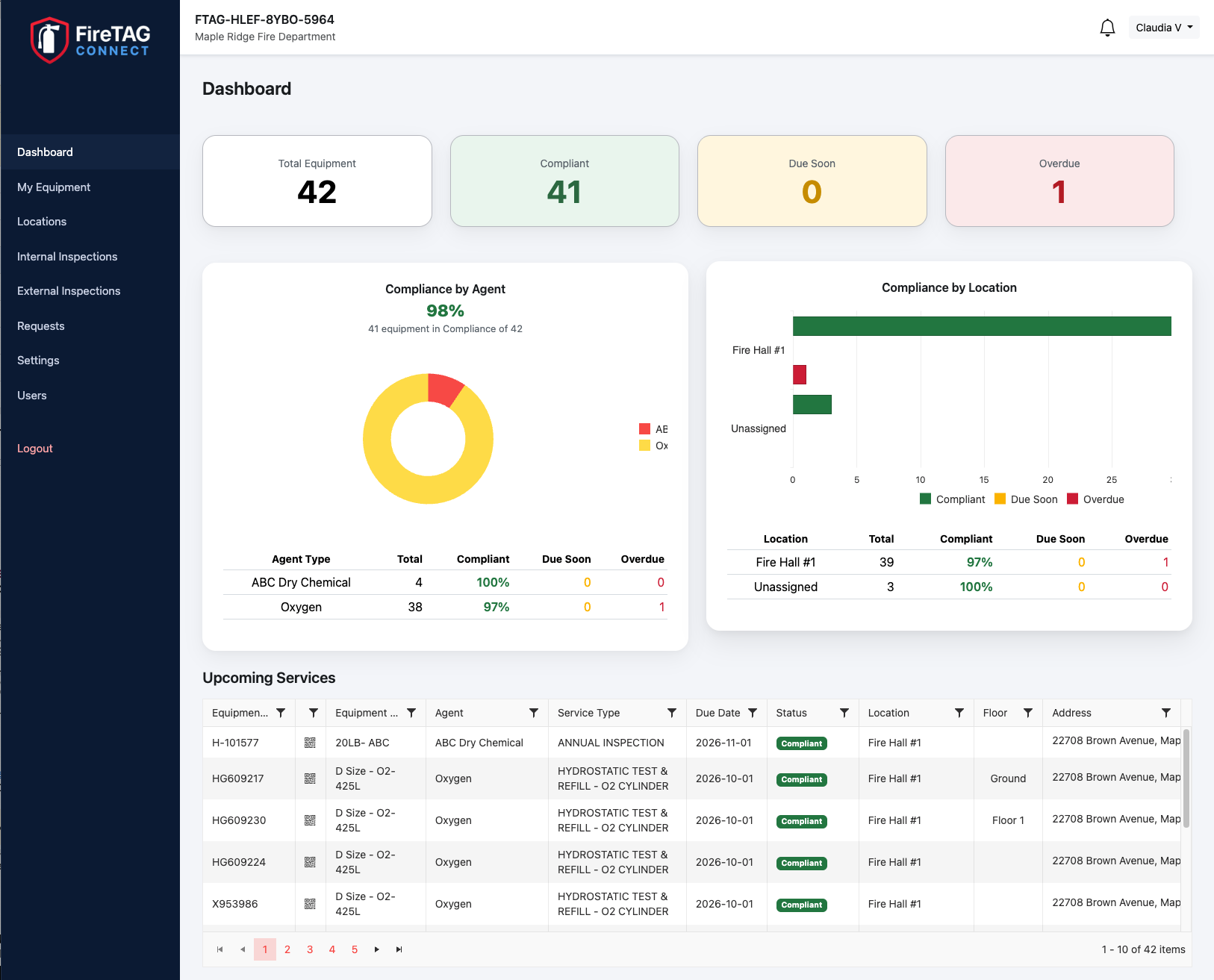
A client portal does two things: it cuts the “how are my extinguishers?” phone calls, and it makes your shop look organized and modern. Look for a portal where clients can see their equipment, compliance status and upcoming services — and request work directly.
6. Right-sizing: is it built for a shop your size?
The big enterprise platforms are powerful, but they come with enterprise cost and onboarding. If you run a few technicians, a tool that does the essentials well — track, inspect, remind, report — will serve you better than a suite you only use 20% of. Weigh the pricing model too: per-user pricing is predictable; watch for long contracts and setup fees.
Questions to ask any vendor
- Is the inspection record kept per unit, with QR/barcode scanning?
- Can technicians inspect offline or on any phone?
- Does it remind us before due dates, and how?
- What reports can it produce for an inspector or insurer?
- Is there a client portal, and what do clients see?
- What’s the real monthly cost for our team size, and is there a contract?
- Can we try it with our own equipment first?
Where FireTag fits
FireTag is built for small and mid-sized fire protection shops: QR-based equipment tracking, mobile inspections, email and SMS due-date reminders, compliance reports, and a client portal (FireTag Connect) — the essentials to get off paper, without enterprise complexity. If you’re comparing options, see our pricing or book a free demo and we’ll walk through it on your own equipment.
about
FireTag
FireTag is QR-based fire equipment tracking software for fire protection companies. One scan shows full equipment history, compliance status and automated inspection reminders.